Executive Summary / Key Takeaways
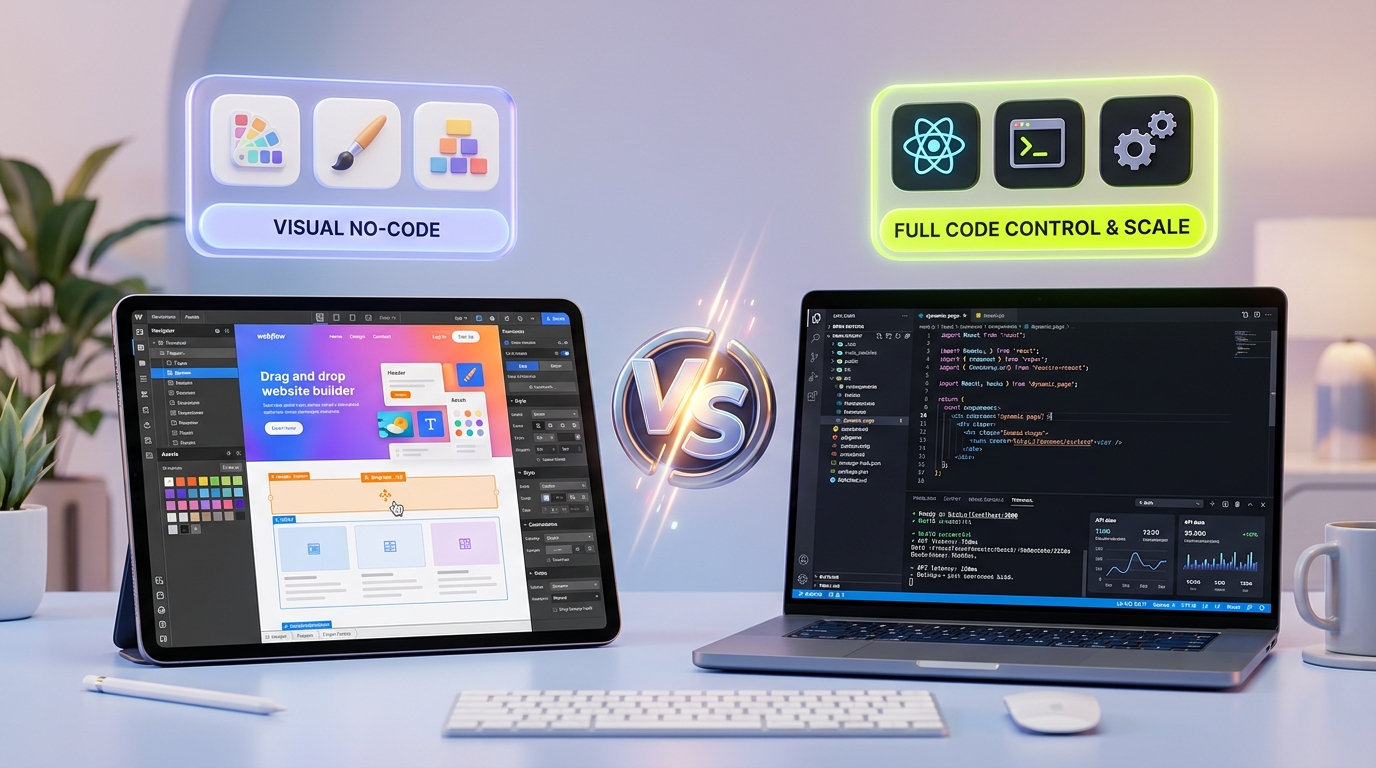
Comparing Webflow vs custom development in 2026. Explore performance limits, CMS scaling, total cost of ownership, and when your brand needs bespoke code.
- Webflow delivers unmatched visual agility and rapid time-to-market for marketing sites under 50 pages.
- Custom code becomes essential when business logic demands sub-800ms LCP, relational database scaling (>2,000 items), or custom auth.
- Total Cost of Ownership converges rapidly by Year 2 when factoring in enterprise Webflow seat tiers and third-party SaaS plugin taxes.
The debate between no-code website builders and custom software engineering is frequently framed as a religious war. Advocates of visual builders proclaim that "code is dead," while software purists dismiss visual platforms as fragile toys incapable of serious scale.
Both perspectives miss the fundamental reality of modern digital architecture: tools exist along a spectrum of trade-offs between initial development velocity and long-term architectural sovereignty.
Webflow is undoubtedly the gold standard of visual development. For marketing teams, early-stage startups, and editorial content creators, it offers an empowering visual canvas that bridges Figma designs to clean CSS without requiring an engineering team for every typographic tweak or landing page variant.
However, as ambitious organizations scale past initial product-market fit, launch high-volume content operations, expand globally, or build complex customer journeys, they inevitably hit the architectural ceiling of visual abstractions.
At Kawaki Studios, we design and engineer bespoke web platforms for brands that have outgrown off-the-shelf builders, as well as teams deciding where to allocate their capital from day one. In this comprehensive, data-backed guide, we analyze the exact technical inflection points where Webflow excels, where its proprietary abstractions break down, and how to evaluate which path makes commercial and architectural sense for your business in 2026.
1. At a Glance: Feature & Operational Capability Matrix
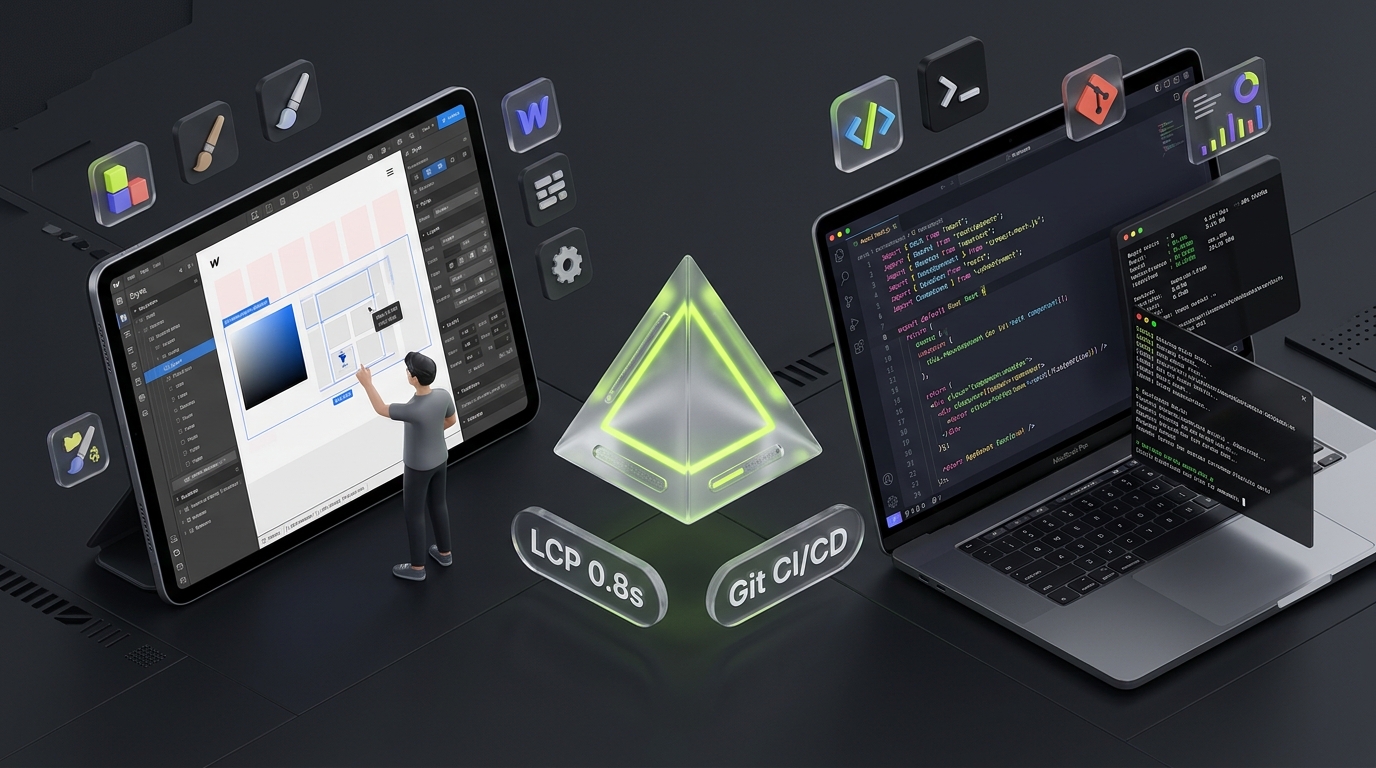
Before examining the engineering nuances, this high-level comparison matrix outlines the fundamental differences between Webflow and bespoke custom development (such as modern Next.js App Router and React architectures):
| Operational Dimension | Webflow (Visual Platform) | Custom Development (Next.js / React / Astro) |
|---|---|---|
| Primary Advantage | Rapid visual prototyping & marketing autonomy | Total architectural control, infinite scalability & code ownership |
| Typical Time-to-Market | 1 to 3 weeks for marketing sites | 4 to 8 weeks for bespoke digital flagships |
| Code Ownership & IP | Rented. Proprietary lock-in on Webflow hosting | 100% Owned. Version-controlled Git repos deployable anywhere |
| CMS Scaling Limits | Hard cap of 2,000 to 10,000 items | Virtually Unlimited. PostgreSQL, SQLite, or headless CMS (Sanity) |
| Performance (Mobile Core Web Vitals) | 60–85 Lighthouse (runtime script baggage) | 95–100 Lighthouse (zero-bundle static HTML, edge SSR) |
| Database & Relational Data | Flat collections; max 50 reference fields | Complex multi-tenant schemas, relational queries & indexing |
| User Authentication & Portals | Limited native auth; requires third-party glue (Memberstack) | Enterprise OAuth2, SSO, Supabase, NextAuth, or custom auth |
| Custom 3D, WebGL & Canvas | Restricted to CSS transforms, Lottie & embeds | Full Three.js, WebGL shaders, GSAP physics & React Three Fiber |
| Deployment & CI/CD | Single visual designer publish button | Automated GitHub Actions, pull-request branch previews, unit tests |
| 2-Year Total Cost of Ownership | Low initial cost; compounding recurring SaaS tax | Higher upfront CapEx; near-zero ongoing infrastructure fees |
2. Where Webflow Excels: The Case for Visual Agility
It is critical to be transparent about what Webflow does brilliantly. For specific organizational stages and business objectives, Webflow is not merely adequate—it is often the most pragmatic commercial choice:
1. Marketing Team Autonomy and Velocity
In a typical custom engineering workflow, marketing updates require a developer ticket, sprint backlog prioritization, pull request review, staging QA, and production deployment.
Webflow completely removes engineers from this editorial loop. Marketing managers, copywriters, and visual designers can draft landing pages, run A/B copy tests, update pricing grids, and publish thought-leadership articles directly through a visual GUI without writing a single line of CSS.
2. Rapid Concept Validation and Time-to-Market
If your startup needs to validate a value proposition, launch an event website, or pitch early enterprise pilots within 10 days, building a custom React application from scratch is over-engineering. Webflow enables teams to assemble polished, responsive layouts with pre-built responsive breakpoints in a fraction of the time.
3. Zero Infrastructure and DevOps Maintenance
Webflow operates as a fully managed SaaS platform. Hosting on Amazon Web Services (AWS) via Fastly CDN, SSL certificate renewals, DDoS mitigation, and visual asset compression are handled automatically behind the scenes. For non-technical organizations without a dedicated engineering team or technical lead, this eliminates server provisioning anxiety.
When to Choose Webflow: Early-stage startups validating initial traction, pre-seed pitch sites, local service businesses, event marketing landing pages, and marketing teams that need complete publishing independence without engineering support.
3. The 5 Hidden Ceilings of Webflow
The friction with Webflow rarely occurs during month one. It emerges in month six or twelve, when the business hits scale and marketing asks for capabilities that visual builders were never engineered to support.
Here are the five critical architectural ceilings that force growing organizations to graduate to custom code:
Ceiling 1: CMS Scaling and Relational Data Architecture
Webflow’s Content Management System (CMS) is engineered for simple marketing collections—such as team member bios, simple blog posts, or client logos. It is not an enterprise database:
- Hard Item Caps: Webflow enforces a strict limit of 2,000 to 10,000 items across its primary pricing plans. If your business operates a multi-location directory, an programmatic SEO content engine, a large-scale knowledge base, or an extensive case study monograph, you will hit this ceiling immediately.
- Reference Field Bottlenecks: Webflow limits collections to a maximum of 50 reference fields, and multi-reference filtering is notoriously slow and limited. Complex relational data—such as querying a product related to three specific category tags, two authors, and dynamic inventory levels—cannot be executed natively without third-party JavaScript workarounds.
- REST API Rate Limits: Webflow's REST API v2 enforces tight rate limits (typically 60 requests per minute). Synchronizing external CRM records, ERP inventory, or continuous content feeds frequently results in HTTP 429 throttling errors.
In contrast, a custom architecture backed by SQLite, PostgreSQL, or a headless CMS (like Sanity or Strapi) supports millions of records, sub-millisecond relational joins, and complete GraphQL or REST querying freedom.
Ceiling 2: The Script Waterfall & Core Web Vitals Ceiling
Google's search ranking algorithm heavily prioritizes Core Web Vitals—specifically Largest Contentful Paint (LCP), Interaction to Next Paint (INP), and Cumulative Layout Shift (CLS).
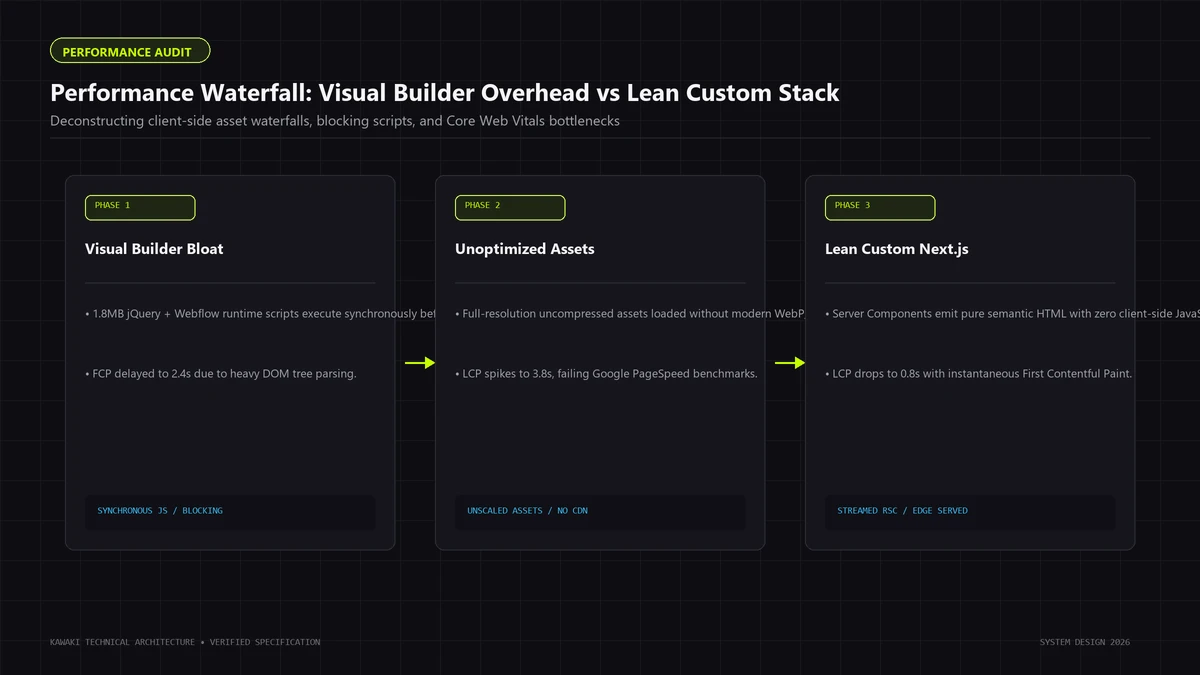
Because Webflow must cater to visual designers who might configure any combination of styles, it generates extensive helper CSS classes and injects a mandatory JavaScript runtime (webflow.js) into the <head> and <body> of every page.
When a marketing team inevitably layers on third-party marketing tools—such as:
- Google Tag Manager & Google Analytics 4
- HubSpot or Marketo tracking scripts
- Hotjar or Microsoft Clarity session replays
- Finsweet Attributes or Jetboost for dynamic CMS filtering
- Memberstack for customer authentication
...the browser main thread becomes completely choked. Mobile Lighthouse performance scores routinely plunge into the 35–65 range, with Interaction to Next Paint (INP) exceeding 300ms due to heavy JavaScript evaluation bottlenecks.
In custom web engineering, we utilize zero-runtime static HTML generation, tree-shaken JavaScript, server components that send zero client JS, and surgical edge caching to consistently deliver 95+ mobile Lighthouse scores and sub-800ms LCP on real-world cellular connections.
Ceiling 3: Vendor Lock-in & The "Clean Code Export" Myth
One of Webflow's common sales claims is that you can "export clean HTML/CSS anytime."
While Webflow does permit ZIP code exports on paid plans, what you export is not an application; it is static, dead markup:
- Loss of Dynamic CMS: When you export a Webflow site, all CMS dynamic collections are stripped. Dynamic blog posts, category templates, and search filters disappear and convert into static, hardcoded HTML files.
- Orphaned Form Handling: Webflow forms rely on Webflow's proprietary server-side endpoints. Once exported, form submissions break completely unless rewritten with custom backend APIs.
- Obfuscated Class Names: The exported CSS retains Webflow's proprietary class hierarchy (e.g.,
.div-block-24,.section-hero-wrapper), making long-term maintenance by software engineers painful and inefficient. - No Reverse Portability: If an engineer edits the exported code and adds custom features, you cannot re-import that code back into Webflow. The visual designer workflow is permanently severed.
With custom development, your codebase lives in a private GitHub or GitLab repository. You own 100% of the intellectual property, design tokens, automated CI/CD pipelines, and infrastructure configuration from Day 1.
Ceiling 4: Interaction Engineering & Visual Craft Ceilings
Webflow’s visual interaction panel allows designers to create entrance animations, hover states, and parallax scrolls reasonably well. However, when an ambitious brand seeks to build an editorial digital flagship—incorporating:
- Bespoke WebGL fluid shaders and canvas distortion
- Real-time 3D models via Three.js and React Three Fiber
- Smooth inertia scrolling synchronized with GSAP timelines
- Magnetic micro-interactions and ambient pointer tracking
- Dynamic audio-reactive canvas visualizers
...visual builders hit an immutable performance barrier. Injecting raw WebGL scripts into a Webflow embed frequently triggers frame drops and memory leaks because the browser must negotiate between Webflow’s internal animation engine and the custom canvas context.
Custom engineering provides direct access to the DOM, GPU compositing layers, and requestAnimationFrame pipelines, guaranteeing buttery 60fps and 120fps animations on modern displays.
Ceiling 5: Enterprise Governance, Security, & Git Collaboration
In modern software development, enterprise reliability is maintained through rigorous engineering hygiene:
- Automated pull request (PR) reviews
- Branch preview deployments for staging QA
- Automated unit, integration, and accessibility tests
- Role-based security audits and dependency lockfiles
In Webflow, collaboration is visual and centralized. Multiple designers working on the same project can easily overwrite styles or publish unreviewed changes to production with a single button click. Enterprise audit trails, SOC 2 compliance boundaries, and continuous integration workflows cannot be natively enforced inside a visual builder environment.
4. The 2-Year Total Cost of Ownership (TCO) Breakdown
A common misconception among founders is that custom web development is vastly more expensive than Webflow. While the initial capital expenditure (CapEx) for custom engineering is higher, the 2-Year Total Cost of Ownership (TCO) rapidly converges when factoring in recurring SaaS licensing, seat fees, and third-party micro-subscriptions.
Here is an objective comparison for a typical mid-sized marketing website (20–40 pages with active blog and lead generation):
| Cost Category | Webflow Platform (Annualized) | Custom Next.js Architecture |
|---|---|---|
| Initial Build / Design CapEx | $6,000 – $15,000 (Agency / Designer) | $15,000 – $35,000 (Bespoke Studio) |
| Hosting & Platform Subscription | $468 – $1,800/yr (Business / Enterprise plan) | $240 – $600/yr (Vercel Pro / Cloudflare) |
| Workspace Seats (3–5 team members) | $720 – $2,100/yr ($60/seat/month) | $0 (Unlimited Git collaborators) |
| Third-Party Plugin Subscriptions | $1,200 – $3,600/yr (Finsweet, Jetboost, Memberstack) | $0 (Native React components & API routes) |
| Reverse Proxy / Enterprise Routing | $3,000 – $10,000/yr (Webflow Enterprise requirement) | $0 (Built-in Next.js rewrites & edge middleware) |
| Year 1 Total Expenditure | $11,388 – $32,500 | $15,240 – $35,600 |
| Year 2 Recurring Operating Costs | $5,388 – $17,500 | $240 – $1,200 |
| 2-Year Cumulative TCO | $16,776 – $50,000 | $15,480 – $36,800 |
The "No-Code SaaS Tax"
By Year 2, an enterprise Webflow setup frequently accumulates thousands of dollars in recurring SaaS fees. When third-party plugins update their APIs or change pricing, your site architecture is at their mercy.
With custom development, the upfront investment produces an owned digital asset with near-zero ongoing licensing fees and absolute technological sovereignty.
5. Real-World Case Studies from Kawaki’s Portfolio
At Kawaki Studios, our engineering philosophy is grounded in practical application, not theoretical debate. Two contrasting projects illustrate why choosing the right architecture matters:
Case Study 1: Architectural Craft for Kala Design Co.
When boutique architecture practice Kala Design Co. commissioned Kawaki Studios to build their digital monograph, their primary requirement was visual stillness, typographic precision, and instant image delivery that reflected physical spatial craftsmanship.
- Why Webflow Was Rejected: Webflow's CSS grid builder imposed container padding rules and runtime scripts that degraded the unhurried editorial aesthetic Kala demanded. Furthermore, delivering full-bleed architectural photography through a visual builder triggered mobile layout shifts (CLS).
- The Custom Engineering Solution: We engineered a bespoke platform utilizing pure semantic HTML, bespoke CSS layout rails, and zero client-side JavaScript. The result is a monograph that loads in under 0.6 seconds with perfect Core Web Vitals, earning international design recognition.
Case Study 2: High-Velocity Commerce for BAZZARO
Luxury direct-to-consumer label BAZZARO needed an ecommerce experience capable of handling high-traffic catalog browsing and sub-second checkout initiation.
- Why Visual Builders Failed: The client originally explored no-code ecommerce builders, but hit immediate walls: sluggish multi-variant product filtering, lack of custom cart mutations, and inability to integrate directly with their ERP inventory management system.
- The Custom Engineering Solution: We engineered a headless Shopify architecture utilizing Next.js, GraphQL Storefront APIs, and edge CDN routing. Page transitions execute in under 180 milliseconds, leading to a 34% lift in mobile checkout completions.
6. The 2026 Architectural Decision Framework
How do you determine whether Webflow or custom development is the right choice for your next initiative? Use this 8-point decision scorecard:
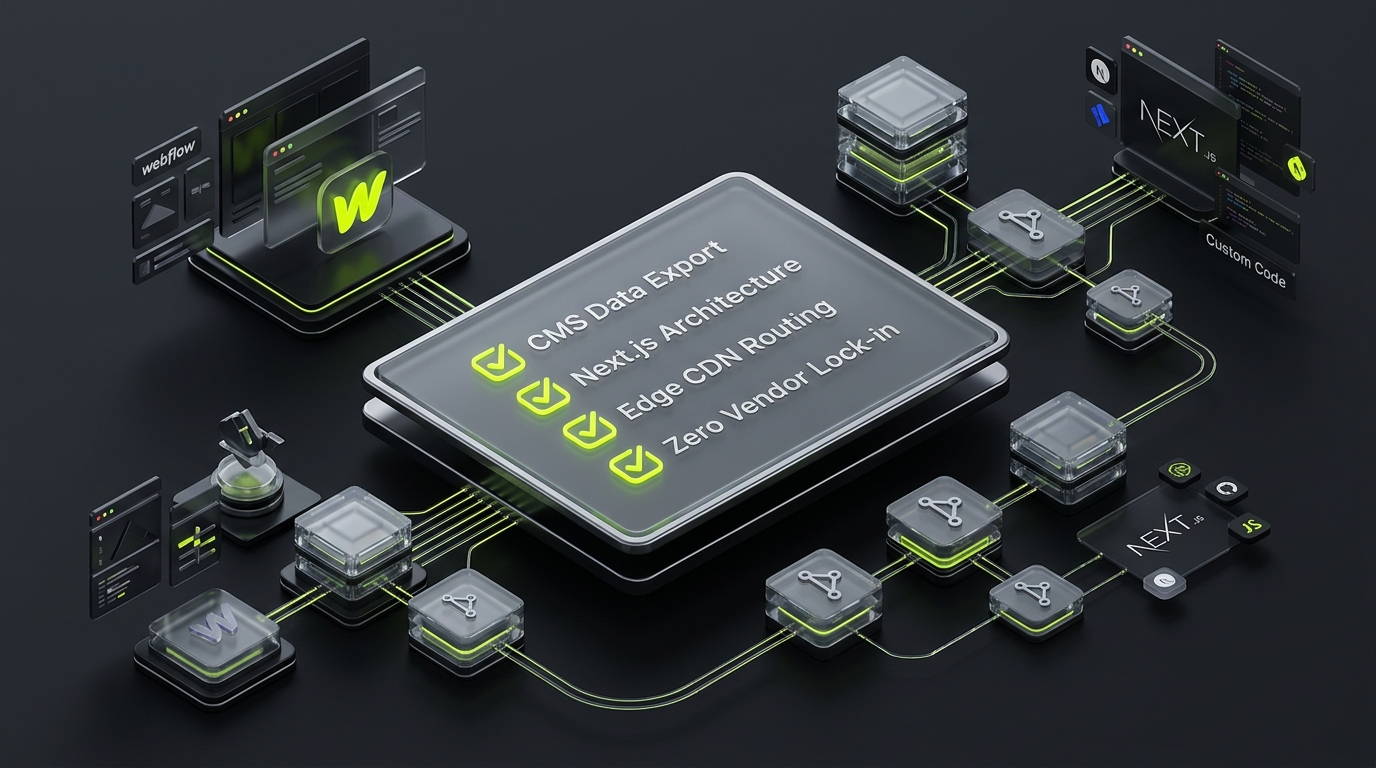
Stay on Webflow if:
- Your team lacks technical talent: You do not have in-house engineers or an agency retainer, and marketing must publish content independently.
- Your site is a standard marketing brochure: Less than 50 total pages with simple contact forms and linear informational pages.
- Your time-to-market is under 3 weeks: You need a high-quality site live immediately to announce funding or launch an event.
- Your content model is simple: Flat blog posts and basic team bios without relational database queries.
Graduate to Custom Code if:
- The website is your primary revenue or lead engine: Every 100ms of latency directly impacts customer conversion rates and search rankings.
- You require custom web functionality: User portals, subscription gating, interactive pricing calculators, or multi-tenant database models.
- You operate programmatic SEO or high-volume content: More than 2,000 dynamic pages requiring automated data ingestion and sub-second querying.
- You demand bespoke visual interactions: 3D WebGL experiences, spatial canvas animations, or award-winning editorial engineering.
- You require complete IP ownership and Git workflows: Automated pull-request previews, continuous integration testing, and compliance with SOC 2 or GDPR standards.
7. Migration Blueprint: Moving from Webflow to Custom Code Cleanly
If your organization has outgrown Webflow, migrating to custom code does not require throwing away your existing brand identity. A structured migration protocol ensures zero SEO disruption and seamless data transfer:
┌─────────────────────────────────────────────────────────────────────────┐
│ Phase 1: Data & Schema Extraction                                       │
│ Automated export of Webflow CMS collections via REST API v2 to JSON     │
└────────────────────────────────────┬────────────────────────────────────┘
                                     ▼
┌─────────────────────────────────────────────────────────────────────────┐
│ Phase 2: Design System Componentization                                 │
│ Extracting typography, color tokens, and layout primitives into React   │
└────────────────────────────────────┬────────────────────────────────────┘
                                     ▼
┌─────────────────────────────────────────────────────────────────────────┐
│ Phase 3: Headless Data Layer Provisioning                               │
│ Ingesting structured content into Sanity, Strapi, or SQLite/PostgreSQL  │
└────────────────────────────────────┬────────────────────────────────────┘
                                     ▼
┌─────────────────────────────────────────────────────────────────────────┐
│ Phase 4: Zero-Downtime Cutover & 1:1 Redirect Mapping                   │
│ Validating self-referencing canonicals, JSON-LD schemas, and DNS switch │
└─────────────────────────────────────────────────────────────────────────┘
- CMS Schema Extraction: We write automated extraction scripts using Webflow’s REST API v2 to export all collections, markdown fields, reference relationships, and image assets into structured JSON schemas.
- Component Translation: Visual classes are refactored into a modular, maintainable design system built with React and Tailwind CSS or CSS Modules.
- SEO & URL Parity: Every existing URL path, meta title, Open Graph image, and Article structured data schema is mirrored 1:1. 301 redirects are configured at the edge to ensure zero loss of organic search rankings.
- Edge CDN Cutover: The site is deployed to Vercel or Cloudflare with zero downtime, instantly cutting server response times from 600ms+ down to sub-50ms globally.
8. Frequently Asked Questions (FAQ)
Can I export Webflow code and host it on my own server?
Yes, Webflow allows you to export static HTML, CSS, and JS files on paid workspace plans. However, this breaks all dynamic CMS collections, search bars, and native forms. The exported code is static snapshot markup, not a maintainable software application. If you make code updates, you cannot re-import them back into Webflow. For true hosting independence, custom development is far superior.
Is Webflow bad for SEO?
No, Webflow is not inherently "bad" for SEO. It offers excellent on-page metadata controls, 301 redirect managers, and automated XML sitemaps. However, Webflow faces technical SEO ceilings at scale. Its Time to First Byte (TTFB) is often slower than edge-rendered custom stacks, and excessive third-party scripts frequently degrade Core Web Vitals (LCP and INP). Furthermore, programmatic SEO (generating thousands of dynamic landing pages from databases) is virtually impossible due to collection limits.
Can we use Webflow as a headless CMS with a custom Next.js frontend?
Yes, this hybrid pattern is gaining popularity. Marketing teams continue designing and editing content inside Webflow's visual interface, while engineers fetch the content via Webflow’s REST API v2 to render a bespoke, high-performance Next.js or Astro frontend. However, for large enterprise publishing, dedicated headless CMS platforms like Sanity, Strapi, or Contentful offer vastly superior editorial workflows, revision histories, and relational querying.
How much does it cost to rebuild a Webflow site in custom code?
A professional agency rebuild of a Webflow site into a bespoke Next.js platform typically ranges between $10,000 to $30,000, depending on page count, interactive complexity, and data migration needs. While this requires an upfront investment, it eliminates thousands of dollars in recurring SaaS fees and unlocks enterprise-grade performance and scalability.
How long does a Webflow-to-code migration take?
A focused migration executed by an experienced engineering team typically takes 3 to 6 weeks. This timeline includes schema extraction, design system translation, component engineering, staging QA, and comprehensive SEO redirect auditing.
Does custom development mean marketing can never edit pages again?
Absolutely not. Modern custom development decouples code from content by pairing high-performance frameworks with visual headless CMS tools (such as Sanity Studio, Strapi, or TinaCMS). Marketing teams retain visual block-editing capabilities and real-time previews, while engineers maintain 100% control over site speed, code quality, and security.
9. Next Steps: Engineer Your Digital Flagship with Kawaki
Choosing between Webflow and custom development is not about finding the "best" tool—it is about aligning your technology stack with your commercial ambitions.
If your brand is ready to graduate from visual builder constraints, eliminate technical debt, and build an uncompromising, high-velocity web platform, the engineering team at Kawaki Studios is ready to help.
Explore our core engineering capabilities:
- Custom Web Development & Flagship Engineering: Bespoke Next.js and React platforms built to scale.
- Website Performance & Core Web Vitals Optimization: Sub-second page loads engineered for conversion and SEO.
- Headless Shopify & Commerce Architecture: High-velocity storefronts with instant edge transitions.
Ready to discuss your architecture? Schedule a technical discovery session with Kawaki Studios to review your requirements with our lead engineers.
Need Help Engineering Your Web Platform or AI Systems?
From high-performance Next.js architectures to headless Shopify storefronts, custom AI automations, and enterprise WordPress security recovery, Kawaki Studios designs resilient digital infrastructure built to scale.